RC Dave Books keeps your accounts on your PC — fast keyboard entry, GST invoices and returns, every report — and stays in sync with your R.C. Dave & Co. client portal. It works without internet; everything goes to the portal when you are back online.
Download for Windows86 MB · Windows 10 & 11 · 64-bit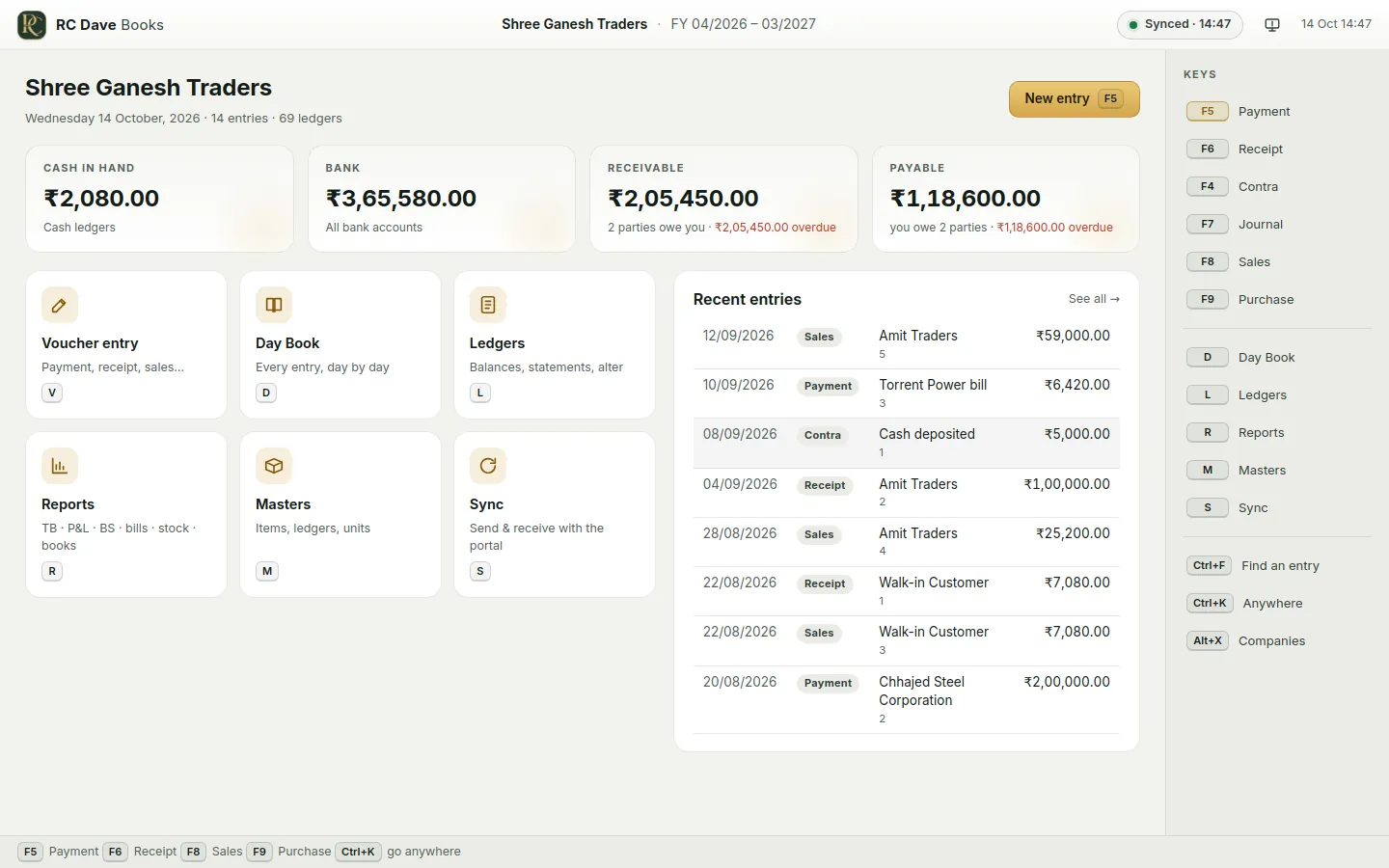
Made for quick, accurate work at the keyboard — every entry and report a key away — with your portal's figures, GST connection and documents behind it.
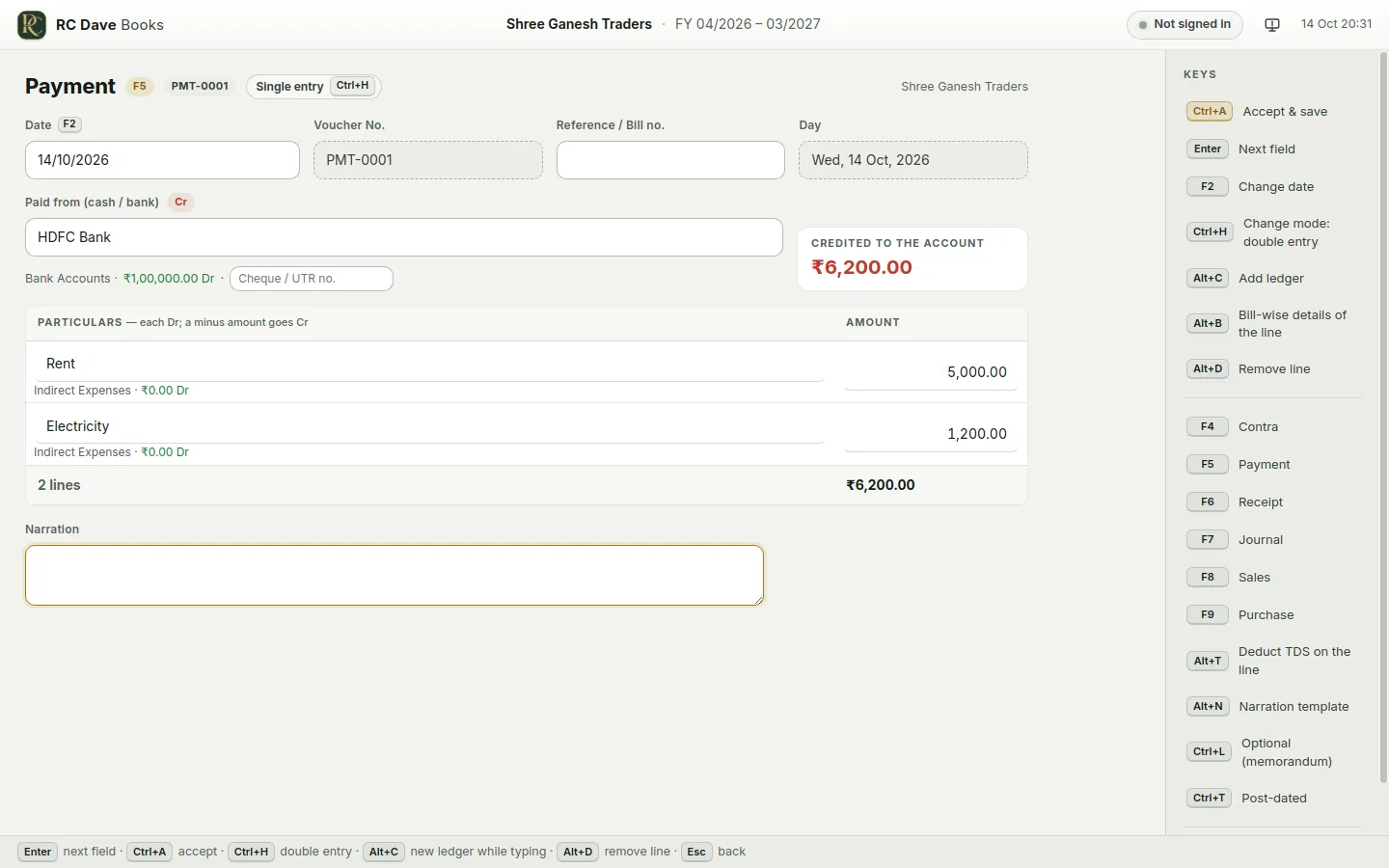
F4 Contra · F5 Payment · F6 Receipt · F7 Journal · F8 Sales · F9 Purchase. Ctrl+H switches single entry ↔ double entry. Optional and post-dated entries too.
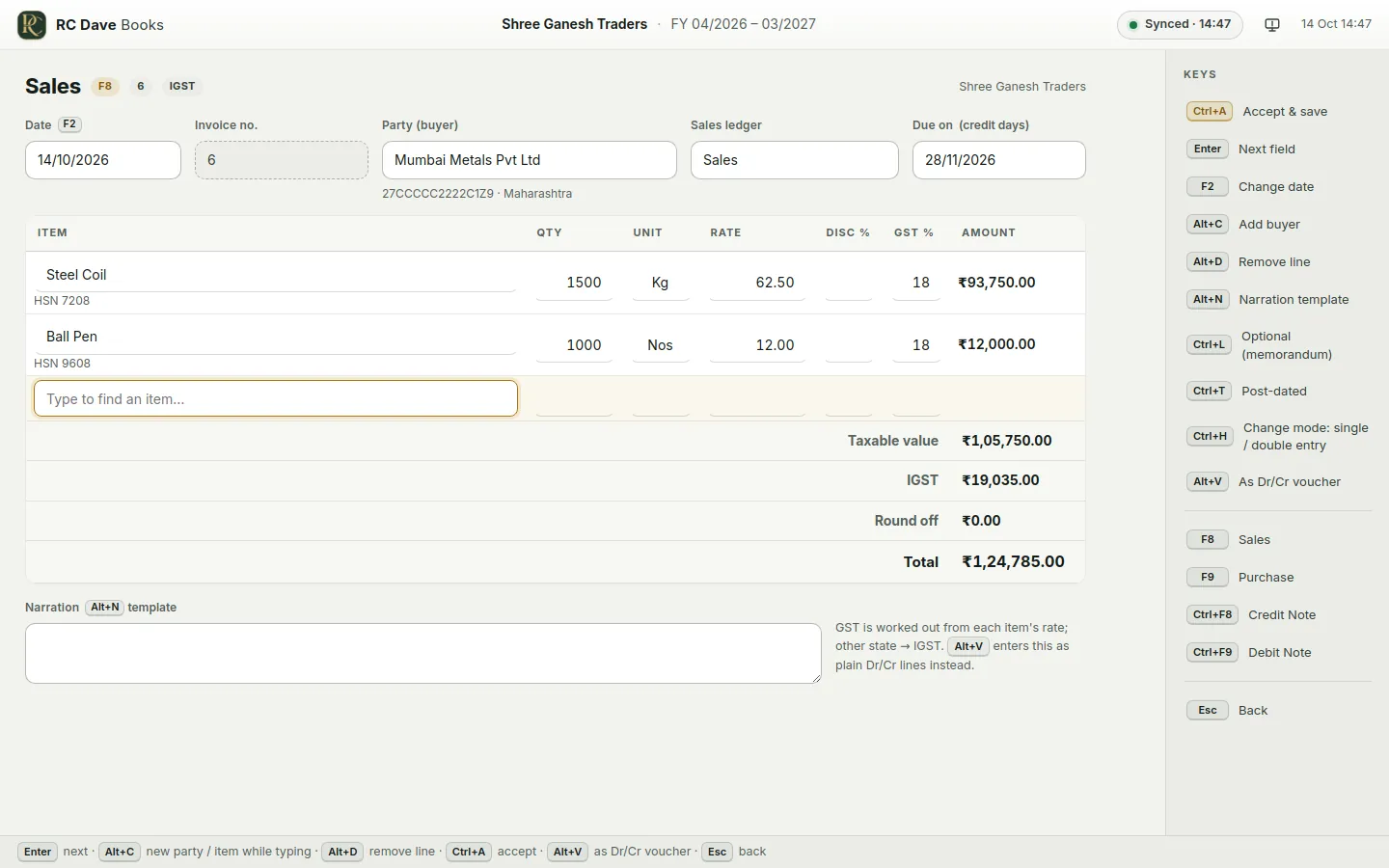
Item invoices with HSN and rates, CGST/SGST or IGST worked out for you, e-Invoice (IRN) and e-Way Bill through the portal, and a printed bill with your logo, signature and a UPI "scan to pay" QR.
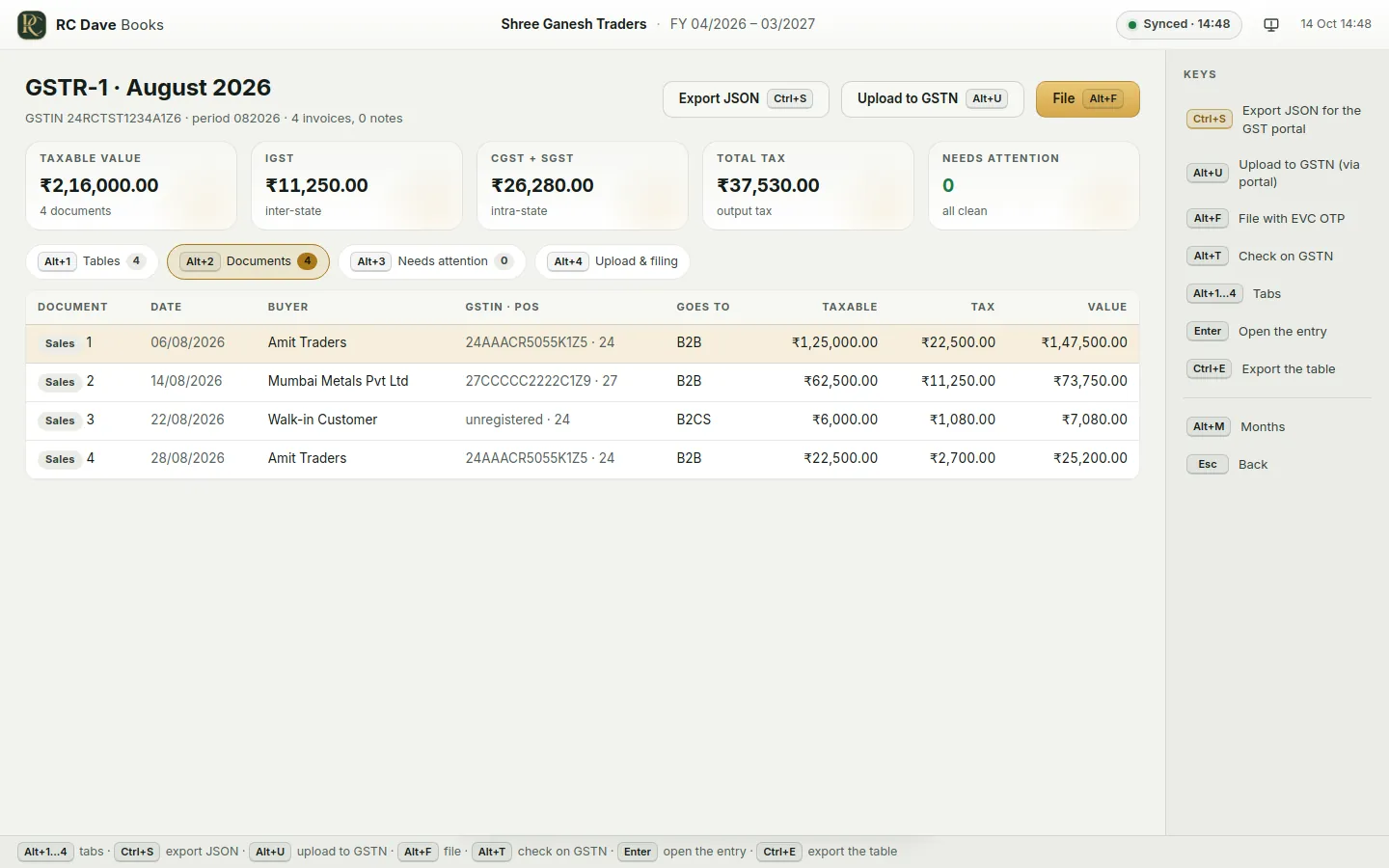
GSTR-1 prepared from your sales, exported or uploaded and filed with the EVC OTP; GSTR-2B matched with your purchases; the GSTR-3B summary with what is payable in cash.
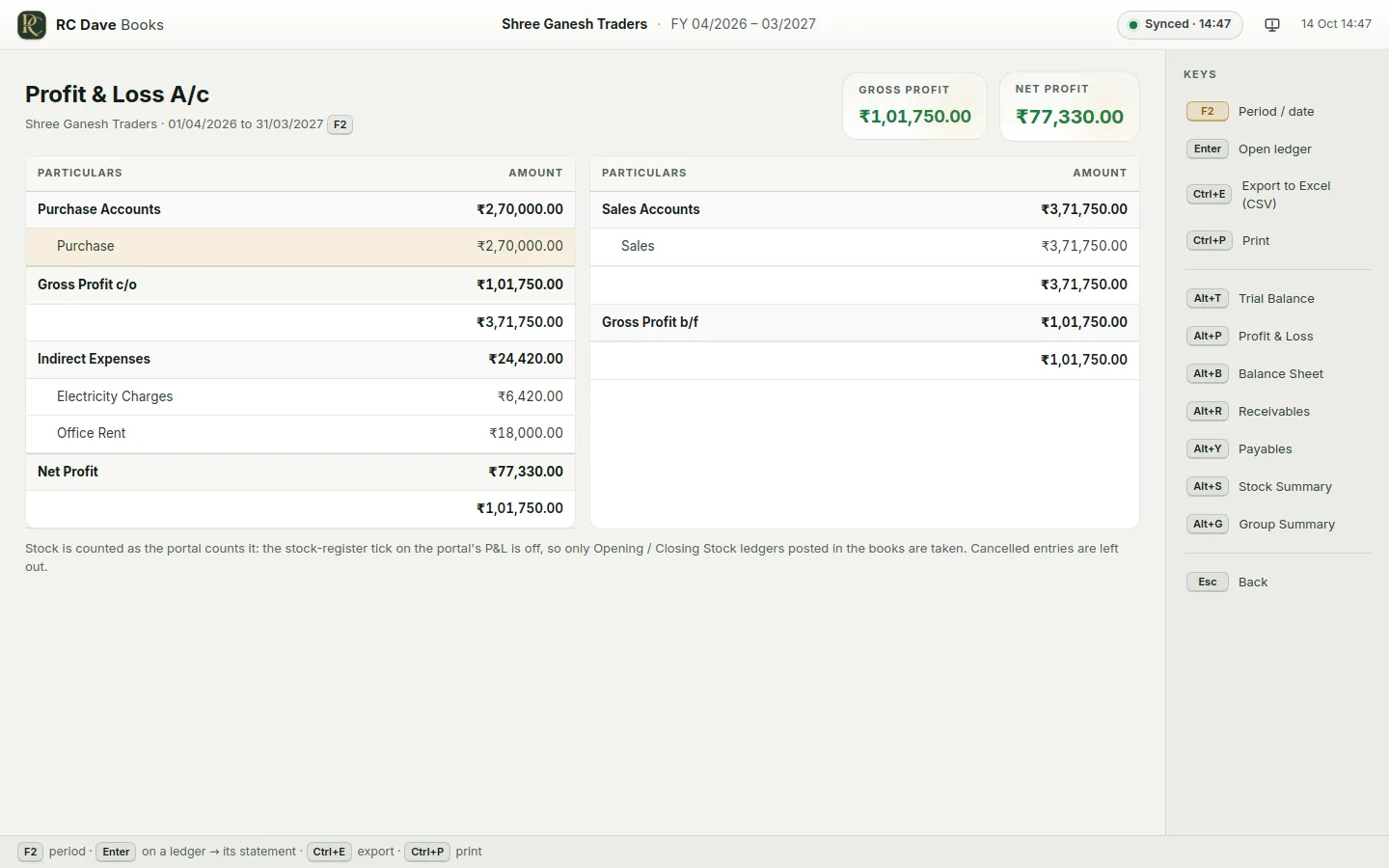
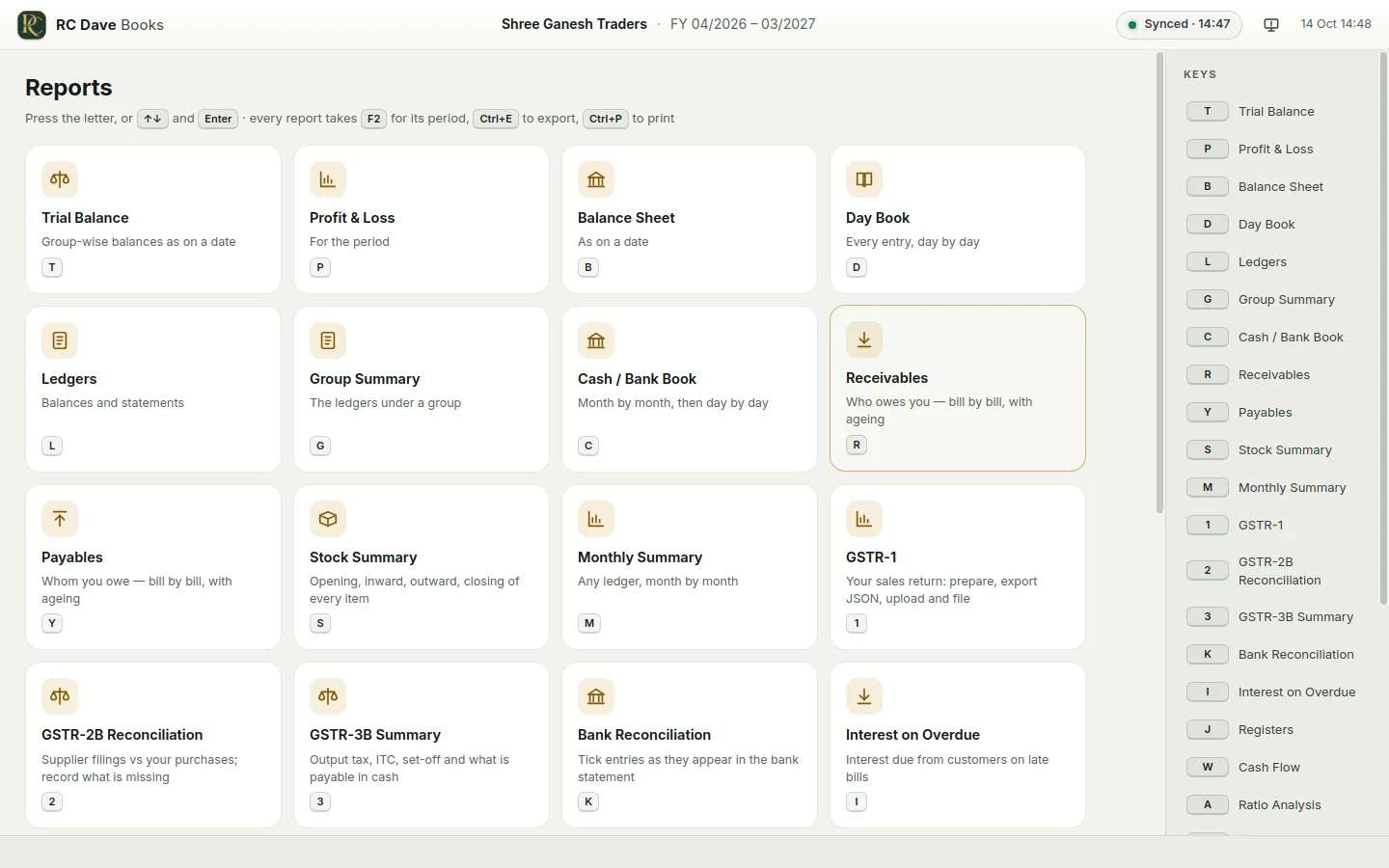
Trial Balance, Profit & Loss, Balance Sheet, Day Book, ledgers, registers, Cash Flow, Ratio Analysis, month-by-month P&L, this year against last year, stock and reorder status.
Receivables and payables bill by bill with ageing, interest on overdue bills, and bank reconciliation — tick entries as they appear in the bank statement.
Cash in hand below nil, a supplier's bill entered twice, skipped invoice numbers, GSTINs that cannot be right, and cash payments over the Income-tax limits — found for you.
An entry you save reaches the portal within seconds; changes made in the office come down every two minutes; every entry is checked line for line against the portal. Nothing is posted twice.
Entries and reports need no connection. The books live on your computer, with a dated backup every day and an edit log of every change — who, when, before and after.
Team members sign in with the logins the owner made on the portal and can only do what they were allowed — enter, alter, delete or see reports.
Light or dark, full screen or in a window — every screen lists its keys on the right. (Sample company.)
The program installs for your own Windows user — no administrator password, nothing else to set up.
Click Download for Windows above. The file is RC-Dave-Books-Setup.exe.
Double-click it and press Next until it finishes. If Windows shows "Windows protected your PC", click More info → Run anyway.
Open RC Dave Books from the desktop, sign in with your client portal email and password, and choose your company — your books come down and stay in sync.
fefbd968b63389f7847df4f7f073e5d9f53cec85f2d2dde87b4e0b2debc5ba1fNo. Make entries and see every report without a connection. When the computer is online again, everything you made goes to the portal by itself and the office's changes come down.
On your computer, in Documents\RC Dave Books, and on your client portal. A dated backup is made every day (the last 30 are kept), and you can export a copy to a pen drive any time.
Yes — the same ledgers, entries, balances and P&L. Every 15 minutes, and whenever you open the company or press Sync, each entry is checked line for line against the portal and anything that differs is set right.
Yes. The owner makes team logins on the portal (with the rights to enter, alter, delete or see reports); each person signs in to the program with their own login.
Nothing is overwritten. The program holds the entry and asks you which copy to keep — yours or the portal's — on the Sync screen.
When a new version is ready, a bar appears at the top of the program: one click downloads it, checks it, installs it and opens the program again. Or download it from this page any time.
Windows Settings → Apps → RC Dave Books → Uninstall. Your books in Documents\RC Dave Books stay where they are.
Not yet. On a Mac, use the client portal in your browser — it has the same books.
Already a client? Download, sign in with your portal login, and your books are on your computer in a minute.
Download for WindowsNot a client yet? Talk to us or create a portal account.